12 Best Visual SQL Builders and No-Code Tools
Table of Contents
- Introduction
- How a Visual SQL Builder Creates Database Queries
- How We Chose the Best Visual SQL Query Builders
- Visual SQL Builder and No-Code SQL Comparison
- Best Visual SQL Builders for Beginners and Reporting
- Visual Database Query Builders for IT Work
- Best AI SQL Builders and No-Code SQL Query Tools
- Build Your First Report With Drag and Drop SQL
- Common No-Code SQL Mistakes and Safety Checks
- Conclusion
- Introduction
- How a Visual SQL Builder Creates Database Queries
- How We Chose the Best Visual SQL Query Builders
- Visual SQL Builder and No-Code SQL Comparison
- Best Visual SQL Builders for Beginners and Reporting
- Visual Database Query Builders for IT Work
- Best AI SQL Builders and No-Code SQL Query Tools
- Build Your First Report With Drag and Drop SQL
- Common No-Code SQL Mistakes and Safety Checks
- Conclusion
Introduction
A visual SQL builder lets you query a database on screen by selecting tables, connecting fields, and applying filters, without memorizing every SQL command. For example, you can identify the highest-revenue campaign or products generating the most support requests.
The best tools combine drag-and-drop SQL with generated code, charts, and AI assistance for marketers and IT professionals. However, the available products solve different jobs.
- Understand what a SQL query builder does
- Compare 12 current visual and no-code SQL tools
- Choose a tool that fits your database and security requirements
- Build and verify your first query safely
How a Visual SQL Builder Creates Database Queries
A database stores information in spreadsheet-like rows and columns, but can connect many tables without repeatedly copying the same information.
A visual SQL builder maps common database operations to interface controls:
| Visual Action | SQL Concept | Marketing Example |
|---|---|---|
| Select a field | SELECT |
Show campaign name and revenue |
| Add a condition | WHERE |
Include orders from the last 30 days |
| Connect tables | JOIN |
Match orders to campaigns |
| Create a total | SUM or COUNT |
Calculate revenue per campaign |
| Arrange results | ORDER BY |
Put the highest revenue first |
Suppose your database has campaigns and orders tables. Place both on a canvas, connect their campaign_id columns, select the campaign name, and sum order revenue. The builder might generate:
SELECT campaigns.name, SUM(orders.revenue) AS total_revenue
FROM campaigns
JOIN orders ON campaigns.campaign_id = orders.campaign_id
GROUP BY campaigns.name
ORDER BY total_revenue DESC;
A no-code SQL tool should remove the syntax barrier while showing the generated SQL the database will execute.
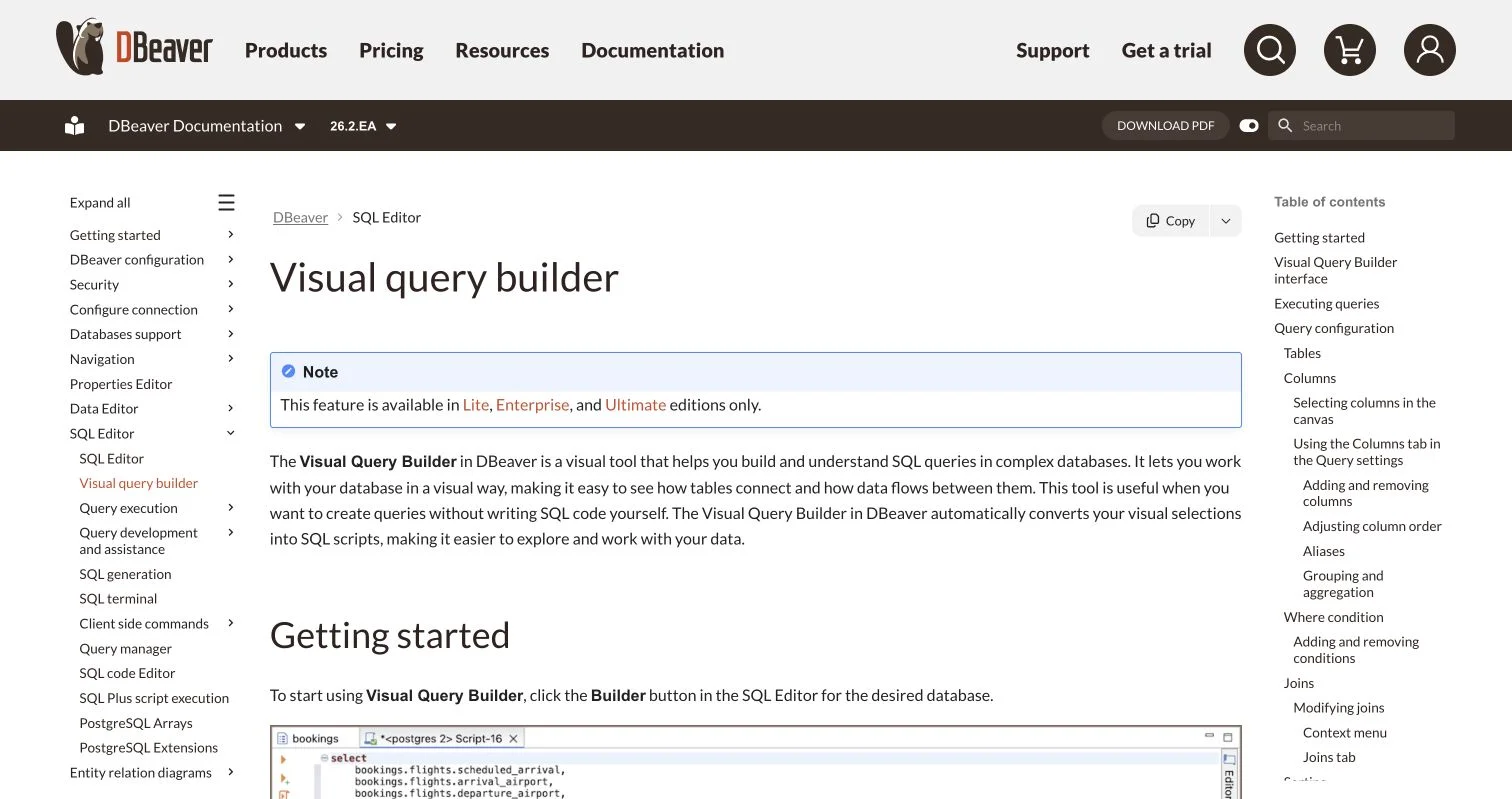
DBeaver’s documented visual query builder shows the core pattern: build joins and filters on a canvas, then inspect the SQL produced by the interface.
How We Chose the Best Visual SQL Query Builders
No database query builder is best for everyone: a marketer creating weekly reports needs a different interface than an administrator inspecting a production database. We therefore define “best” as “best suited to a specific job.”
The 2025 Stack Overflow Developer Survey found that 69% of respondents had learned a new coding skill or language during the previous year, while more than 36% had learned to use AI-enabled tools. The survey included 49,009 accepted responses from 177 countries, according to its methodology.
We assessed each builder on:
| Item | What to Check | Why It Matters |
|---|---|---|
| Database support | Supported engines and cloud services | A good interface is useless if it cannot connect to your data |
| Visual controls | Joins, filters, grouping, and sorting | These cover most everyday reporting questions |
| SQL visibility | Generated code can be reviewed | Visible SQL makes errors easier to find |
| AI assistance | Schema-aware generation and explanations | Database context usually produces better suggestions |
| Access controls | Read-only roles and permissions | A reporting tool should not be able to alter production data |
| Output options | Charts, CSV, dashboards, or sharing | Results must reach the people who need them |
Visual SQL Builder and No-Code SQL Comparison
Use this table to shortlist tools. Cost models are broad because prices and plan limits change frequently.
| Tool | Best For | Builder Style | AI Help | Cost Model |
|---|---|---|---|---|
| Metabase | Team reporting and dashboards | Point and click | Limited by edition and setup | Open-source and paid plans |
| DBeaver | Technical users across many databases | Diagram canvas | Available in commercial editions | Builder in paid editions |
| DbSchema | Learning relationships and schema design | Diagram-based | Yes | Free edition and paid Pro |
| Skyvia Query | Cloud apps, databases, and spreadsheets | Drag-and-drop SQL | Secondary to visual tools | Freemium cloud service |
| dbForge Query Builder | Microsoft SQL Server work | Query diagram | Yes | Paid desktop product |
| Navicat Premium | Multi-database administration | Structured visual builder | Yes | Paid desktop product |
| DbVisualizer Pro | Developers wanting SQL and diagrams | Point, click, and drag | Yes | Paid Pro edition |
| Aqua Data Studio | Cross-platform database development | Visual diagram | No major AI focus | Paid with trial |
| Outerbase | Open-source, collaborative querying | AI and query editor | Strong | Open-source |
| BlazeSQL | Conversational business analysis | Natural-language prompts | Strong | Subscription and trial |
| AI2SQL | Generating SQL from plain English | Text-to-SQL | Strong | Subscription and trial |
| RazorSQL | Traditional visual database editing | Tabbed query builder | No major AI focus | Paid with trial |
Best Visual SQL Builders for Beginners and Reporting
-
Metabase is the most approachable choice for shared reports. Its graphical builder covers data selection, joins, filters, summaries, and charts, with 10-row previews that help beginners catch mistakes. Metabase reveals the generated query, but conversion from a builder question to native SQL is one-way. Choose it for dashboards and reusable business questions rather than database administration.
-
DBeaver is better for users growing into technical database work. Drag tables onto a canvas; relationships can create joins automatically, and visual changes update SQL. It can also diagram existing valid SQL. The visual builder is available only in Lite, Enterprise, and Ultimate, not the free Community edition.
-
DbSchema combines database diagrams with a visual SQL builder. Follow foreign keys, select columns, apply filters, and add aggregations with the mouse while SQL updates live. DbSchema supports more than 70 SQL and NoSQL systems. Its tutorial describes an optional AI assistant for writing, explaining, and improving queries, while visible table relationships make it a good teaching tool.
-
Skyvia Query is a practical no-code SQL choice for teams using cloud applications and databases. Its browser interface supports more than 200 data sources. Drag fields into result, filtering, and sorting areas while automatic joins follow known relationships. Skyvia also sends refreshable results to Excel or Google Sheets, useful for marketing teams already reporting there.
Visual Database Query Builders for IT Work
-
dbForge Query Builder focuses on Microsoft SQL Server. It visually creates
SELECT,INSERT,UPDATE, andDELETEqueries, supports subqueries, and forms joins from primary and foreign keys. Its AI assistant generates, explains, and improves SQL. The SQL Server focus suits that standard platform but not mixed database environments. -
Navicat Premium combines visual queries, development, migration, modeling, and administration across MySQL, PostgreSQL, SQL Server, Oracle, SQLite, Snowflake, and MongoDB. Its current, schema-aware AI assistant supports several model providers. Although complex for beginners, Navicat gives IT teams one paid desktop application for several database jobs.
-
DbVisualizer Pro pairs a graphical builder with a conventional SQL editor. Drag tables and views from the database tree, create joins, and load generated code into the editor; the visual feature requires Pro. Its integrated AI assistant writes SQL, understands schemas, and troubleshoots errors, bridging drag-and-drop SQL and manual coding.
-
Aqua Data Studio serves database developers, analysts, and administrators across many platforms. Its visual builder generates complete statements, which Query Analyzer executes and inspects. It supports more than 40 relational, cloud, and NoSQL systems, plus visual analytics and schema tools, but takes longer to learn than reporting-first Metabase.
Best AI SQL Builders and No-Code SQL Query Tools
-
Outerbase combines an open-source database interface with its EZQL assistant. Ask natural-language questions, fix queries, run follow-up analysis, share queries, and chart results. Outerbase supports PostgreSQL, MySQL, SQL Server, BigQuery, Snowflake, and ClickHouse. It suits collaborative teams wanting AI beside the query editor rather than a classic table-and-join diagram.
-
BlazeSQL is a conversational AI data analyst, not a traditional drag-and-drop product. It reads database structure, generates SQL from business questions, and creates charts or dashboards. Desktop mode keeps results local, though generation may still process schema metadata and prompts. Use BlazeSQL for colleagues who prefer questions to joins, but define company terms so it understands metrics.
-
AI2SQL turns plain-language requests into dialect-aware SQL. Its current service supports seven live connectors with default read-only controls, plus a desktop app for local execution with MySQL, PostgreSQL, and SQL Server. AI2SQL quickly generates code but is less useful for learners who prefer seeing tables and relationships on a canvas.
-
RazorSQL is a traditional SQL query builder. Its tabs generate
SELECT,INSERT,UPDATE, andDELETEstatements, with controls for columns, conditions, aggregates, grouping, and multi-table joins. Though it lacks newer products’ conversational AI, its refreshingly explicit, predictable workflow suits administrators controlling data-changing statements.
Build Your First Report With Drag and Drop SQL
Consider a marketing team needing previous-month revenue by campaign from campaigns, customers, and orders tables. Most visual SQL builders follow this workflow:
-
Connect through a read-only account; ask IT to expose only required reporting tables.
-
Add
campaignsandorders. The tool may join them automatically if the database defines their relationship. -
Confirm that
campaigns.campaign_idconnects toorders.campaign_id. Do not assume an automatically suggested join is correct. -
Select campaign name and order revenue, apply
SUMto revenue, and group by campaign name. -
Filter for the previous calendar month, then preview a small result before running the full query.
-
Inspect generated SQL for the expected tables, date boundaries, join, and grouping.
-
Validate at least five results against a trusted source, such as the campaign platform or finance report.
The pattern also lets IT join assets to support_tickets and count incidents per device model. Online stores can connect customers and orders to measure repeat purchases. Interfaces change, but the database logic stays much the same.
Common No-Code SQL Mistakes and Safety Checks
No-code SQL removes typing, not reasoning: even valid queries can be wrong because of incorrect joins, duplicate rows, or unclear business definitions.
| Risk | What to Check | Practical Protection |
|---|---|---|
| Duplicate rows | Totals rise after adding a table | Compare row counts before and after each join |
| Wrong join type | Records disappear unexpectedly | Test inner and left joins on a small sample |
| Large query | Builder requests an entire table | Add a date filter and row limit before previewing |
| AI error | SQL looks plausible but unfamiliar | Review generated code and test known cases |
| Sensitive data | Personal fields appear in results | Use restricted views and column permissions |
| Write access | Tool can update or delete records | Use a read-only account for analysis |
BlazeSQL’s own terms warn that AI-generated queries and visualizations may contain errors. This applies to every AI SQL builder: never execute an unfamiliar UPDATE, DELETE, DROP, or ALTER statement against production data.
Conclusion
A visual SQL builder bridges spreadsheet-style work and relational databases. Metabase and Skyvia suit business reporting. DBeaver, DbSchema, dbForge, Navicat, DbVisualizer, Aqua Data Studio, and RazorSQL offer deeper database controls. Outerbase, BlazeSQL, and AI2SQL center natural-language assistance.
Do not choose on AI alone. Prioritize database compatibility, read-only access, visible generated SQL, and a verifiable report. Test your two strongest candidates on the same tables and question. The better builder helps your team produce correct, understandable answers without making every report an IT request.